Client Analytics Dashboard
Overview
An analytics dashboard for monitoring client banking apps
AAZZUR is a platform that lets brands like TUI offer banking, cards and payments in their own app. As more of these apps went live, the team needed a way to see how each one was performing.
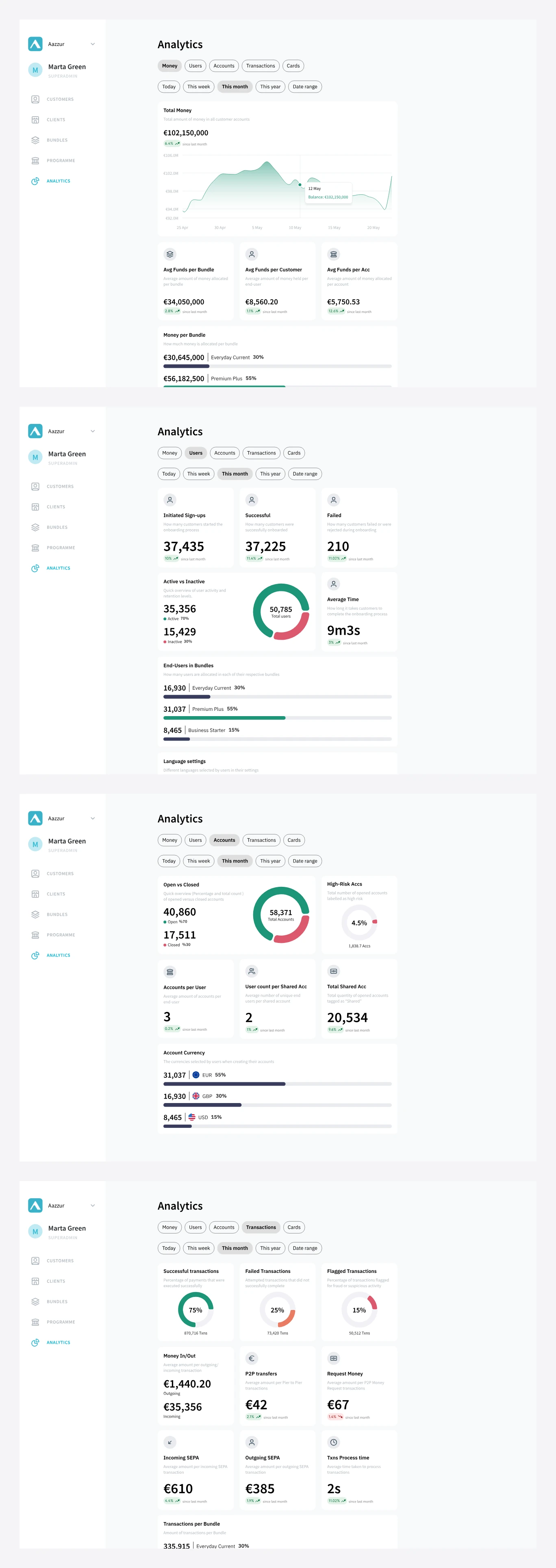
I designed an analytics dashboard inside AAZZUR’s back office. It shows each client’s performance, segmented by account bundle, with a client switcher in the sidebar. The PM defined the metrics. I owned the information architecture, designed the components and wrote the handoff documentation.
Results
Shipped and used by the product team
The dashboard shipped, and AAZZUR’s product team used it to keep track of client apps.

Problem & Approach
Turning a list of metrics into a readable dashboard
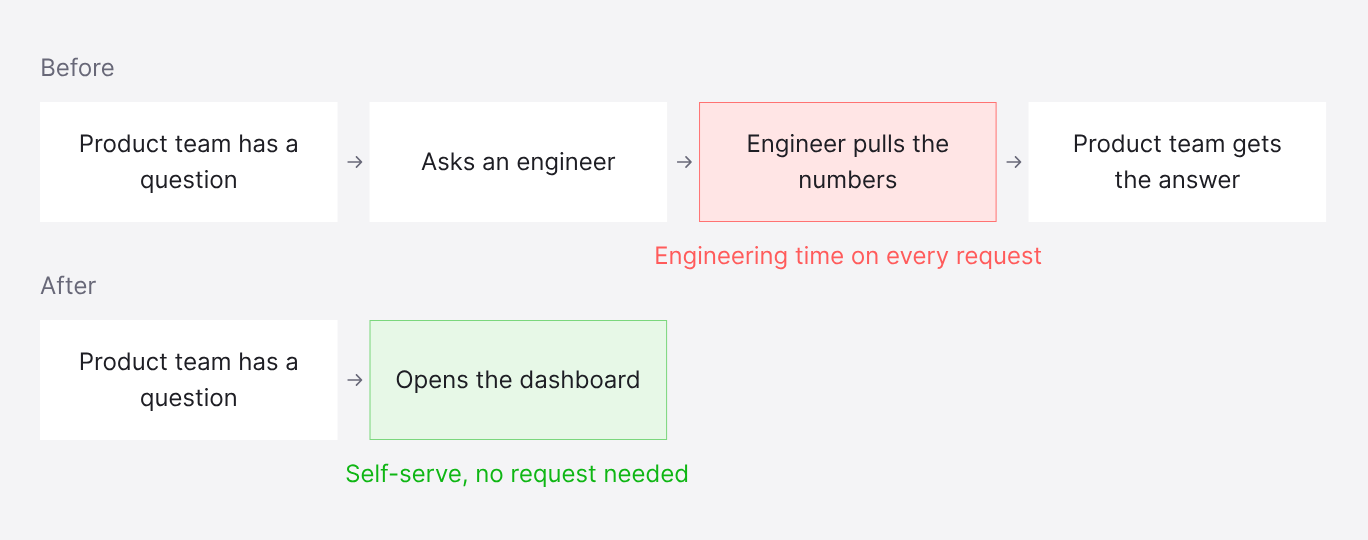
Before the dashboard, every data request went through an engineer. This took engineering time, and issues in client apps were slow to surface.
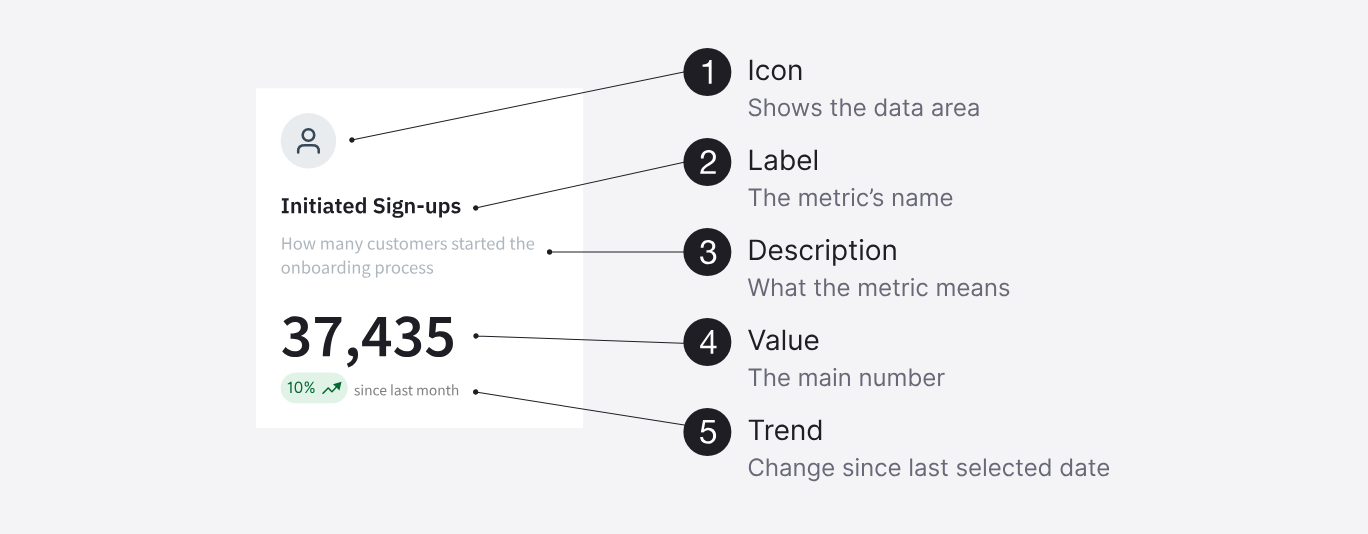
Starting from the PM’s list of metrics, I benchmarked how Stripe and Revolut Business present financial data and reviewed data visualisation best practices. I started with a single card component that every metric could use, then grouped the metrics into five tabs.
Constraints
- Data: limited to metrics the platform already tracked.
- Build effort: to keep development effort low, I built the new card types from existing components.
- Style: had to stay consistent with the existing back-office UI.
Design Decisions
Choosing the layout and simplifying the charts
Layout
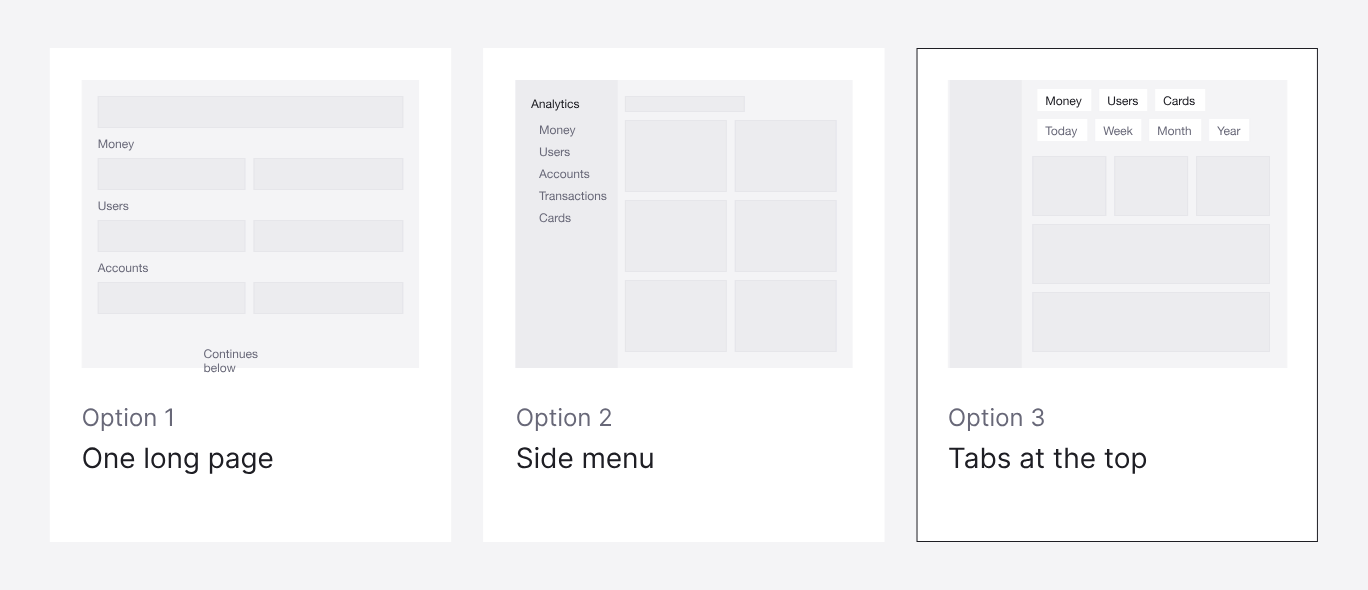
I explored three layouts: a single long page, sections in the side navigation, and tabs at the top. I chose tabs, because they keep section switching and the date filter in one place.
Charts
Some of my early chart designs were too complex. Based on feedback from the PM and the engineer, I iterated until they were as simple as possible.
Final Design
What each tab shows
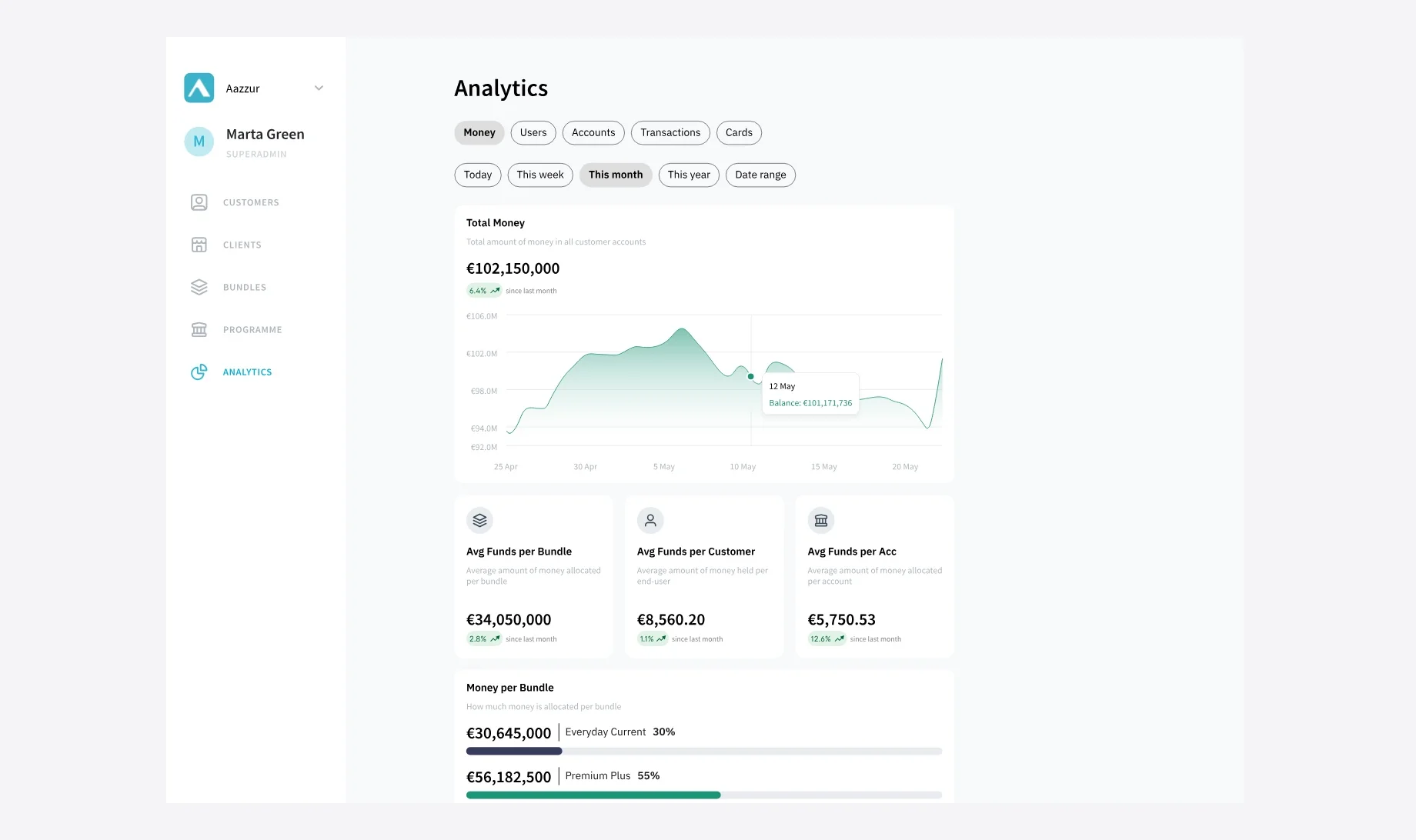
- Money: total balance over time, and averages per bundle, customer and account
- Users: sign-ups, successful and failed onboarding, active and inactive users, and average onboarding time
- Accounts: open, closed and high-risk accounts
- Transactions: successful, failed and flagged transactions, money in and out, SEPA and P2P transfers, and processing time
- Cards: card status, transactions per customer, and monthly amounts
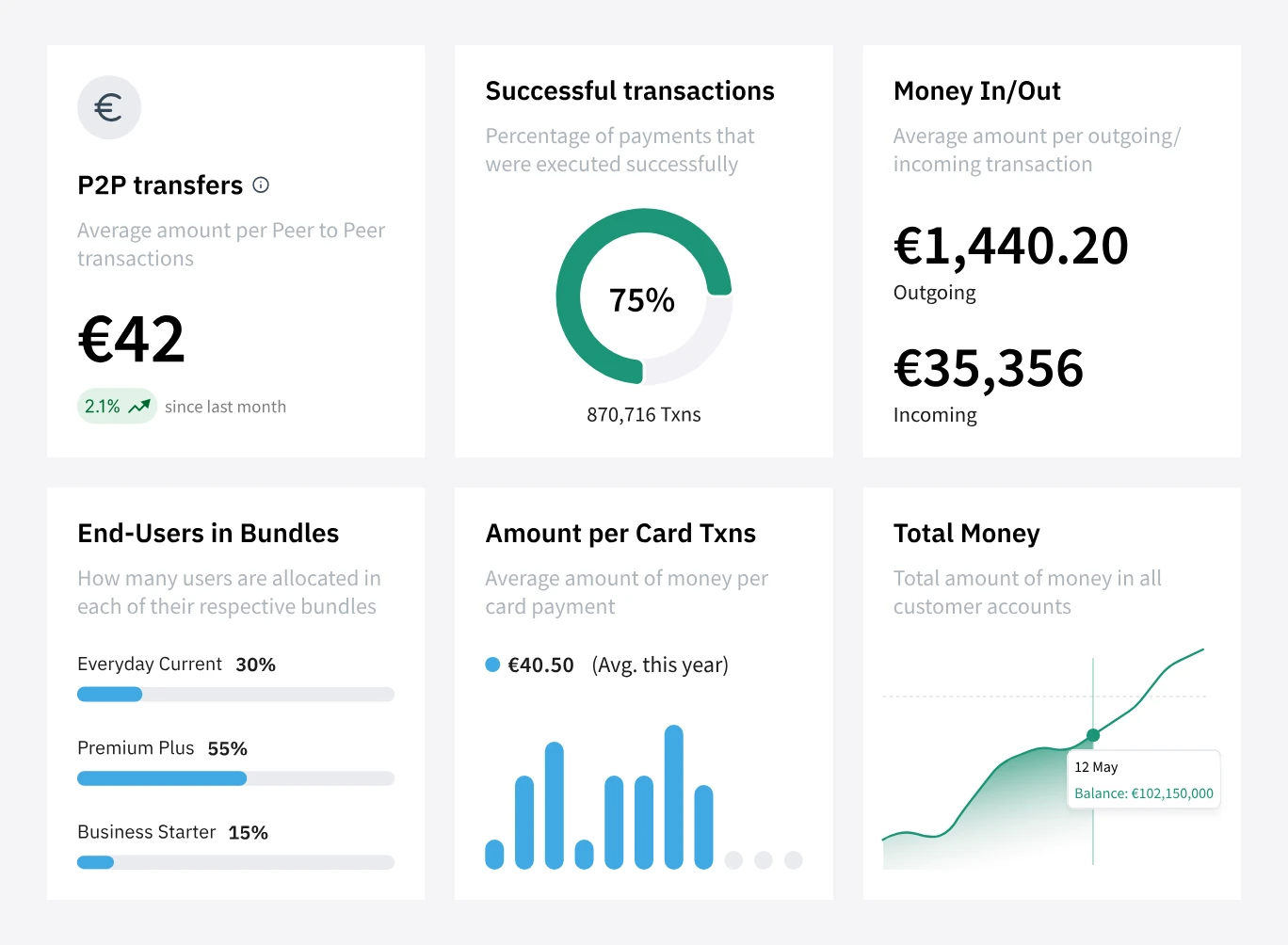
Every metric uses one of six card types.
Details
- Full values on cards, abbreviated values on charts. Cards show the full amount, like €102,150,000. Chart axes use abbreviated labels, like €102M, so the chart stays readable.
- A tooltip for exact values. Hovering over the chart shows the date and the exact balance.
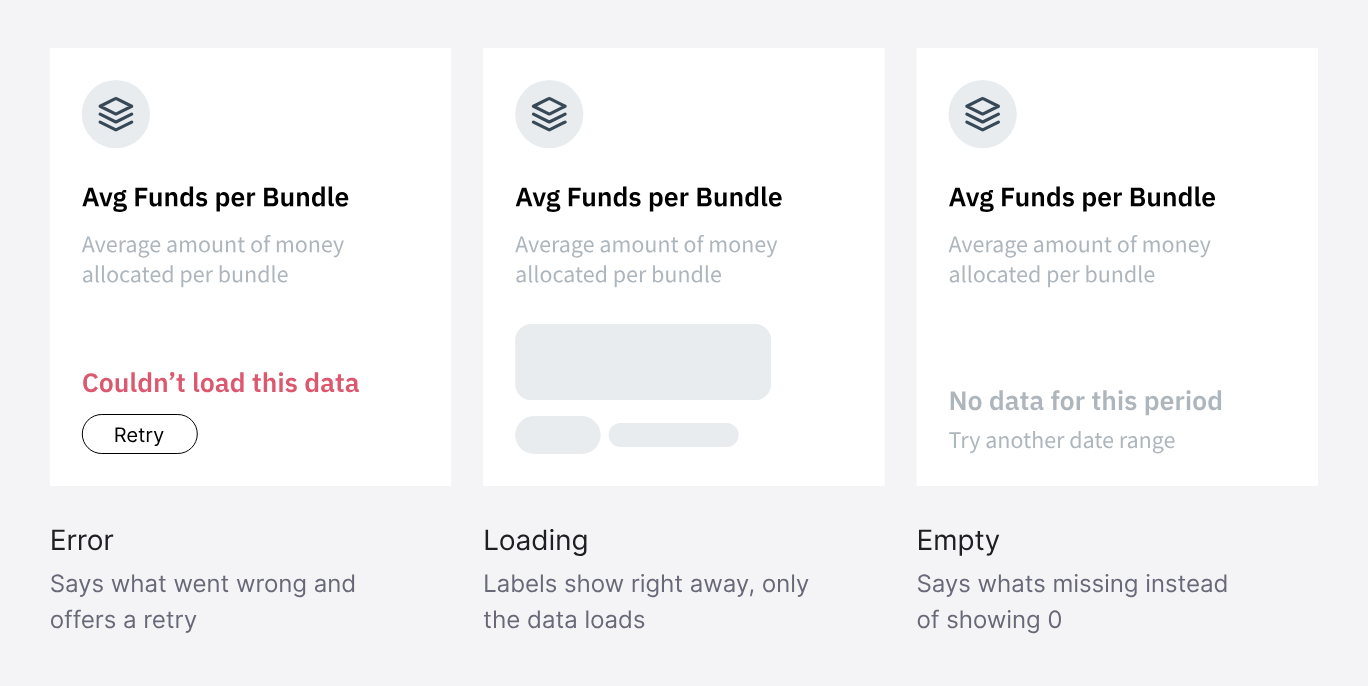
- States for every card. Each card has loading, empty and error states.
Reflection
What I would do again, and what I would change
Do again: involve engineering from the start
Getting feedback on complexity while I was still designing meant there were no surprises at handoff.
Change: Propose updates to the design system
Following the existing back-office style kept the build small, but it limited how modern the dashboard could look. Next time I would propose updates to the shared components, so other screens benefit too.