White-label Design System
Overview
One design system behind 10+ branded financial apps
The challenge
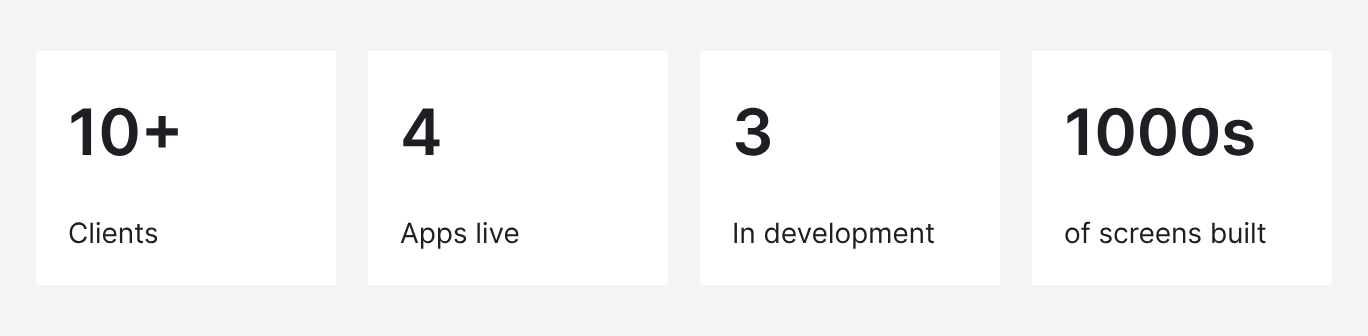
AAZZUR is an embedded finance platform that lets businesses launch banking, cards, lending and other financial products under their own brand. Each client needed an app that felt like their own product, while engineers built every app from the same base components.
What we built
A white-label design system that separates shared foundations from each client’s brand.
Since 2022 it has carried products across multi-currency, lending, crypto and many more financial apps.
My role
I built, maintained and evolved the system together with my lead designer, and designed the products on it. I also handled brand adaptation for clients myself.
System Structure
Three layers, each changing for a different reason
The system has three layers. The foundations stay the same for every client, the brand theme changes per client, and the product layer adapts to what each product needs.
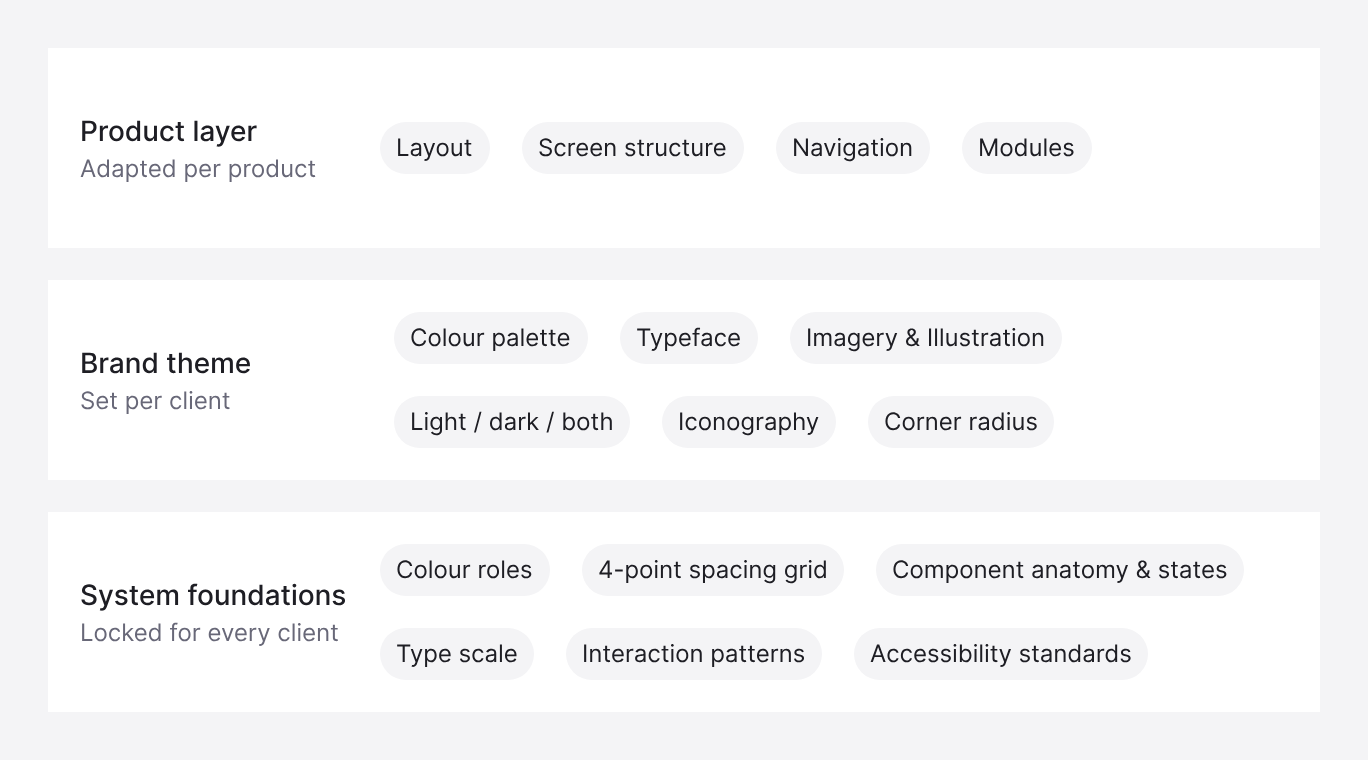
Locking the foundations kept the same level of quality in every app, whatever the brand. A crypto app and a lending app do different jobs, so layout and navigation were adapted to each product rather than forced into one template.
Foundations
Foundations, tokens and theme values
Each foundation is defined as named tokens. Some tokens hold a fixed value for every client; others are theme values that each brand sets.
Colour
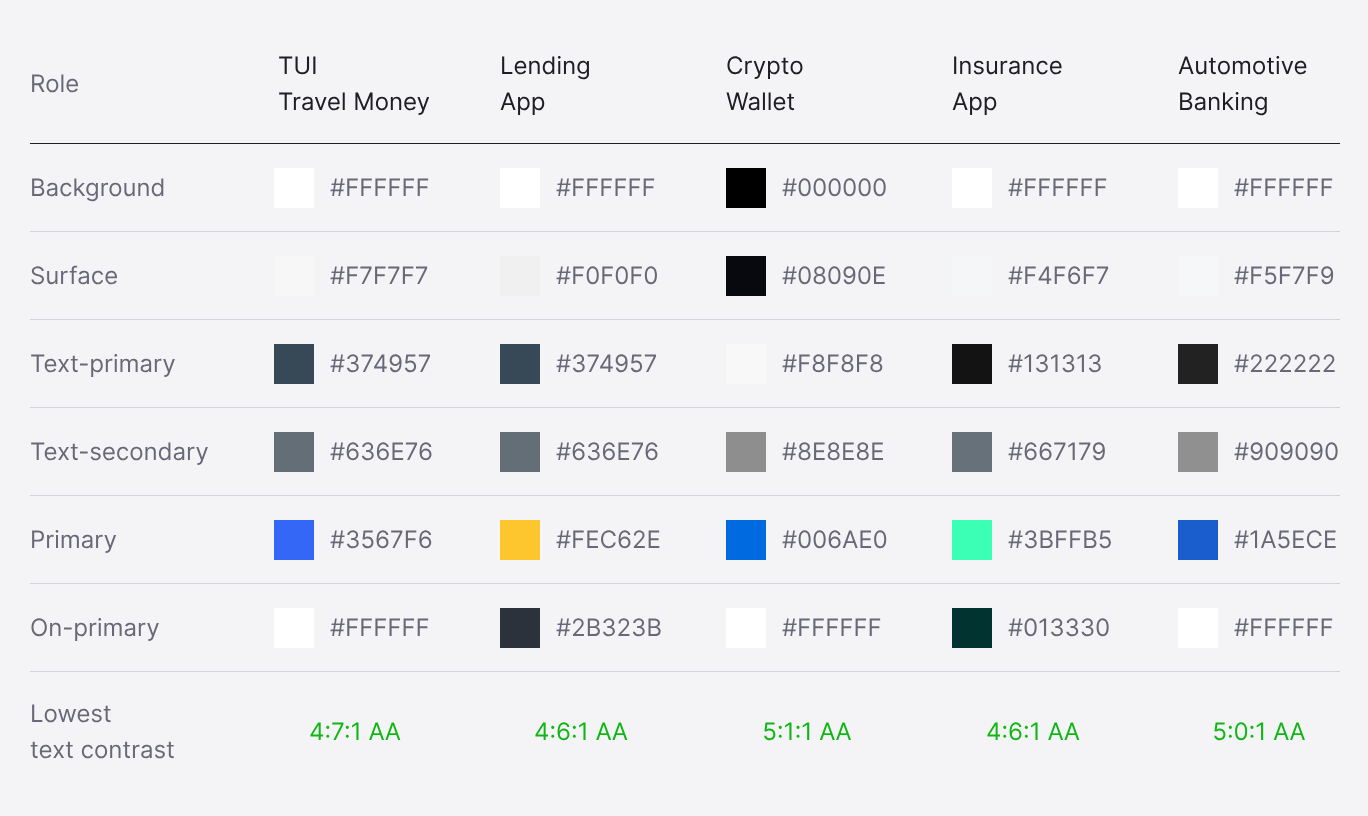
Colour is defined by role. The roles are fixed: background, surface, text, primary and the colour on top of primary. Each brand assigns its own values to them.
Spacing and layout
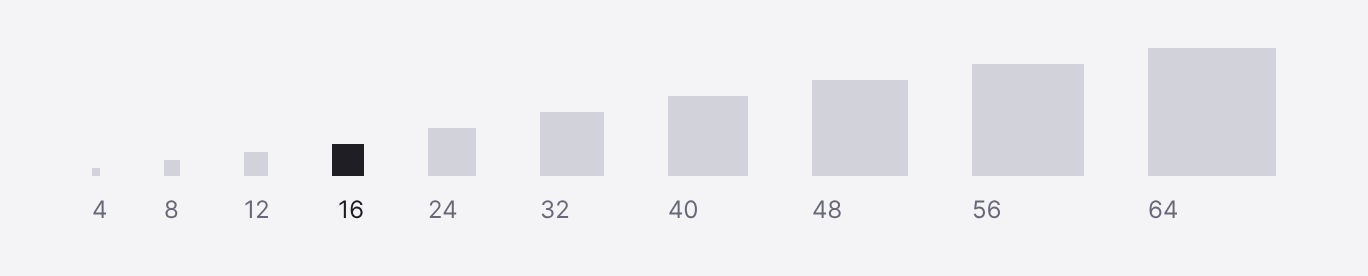
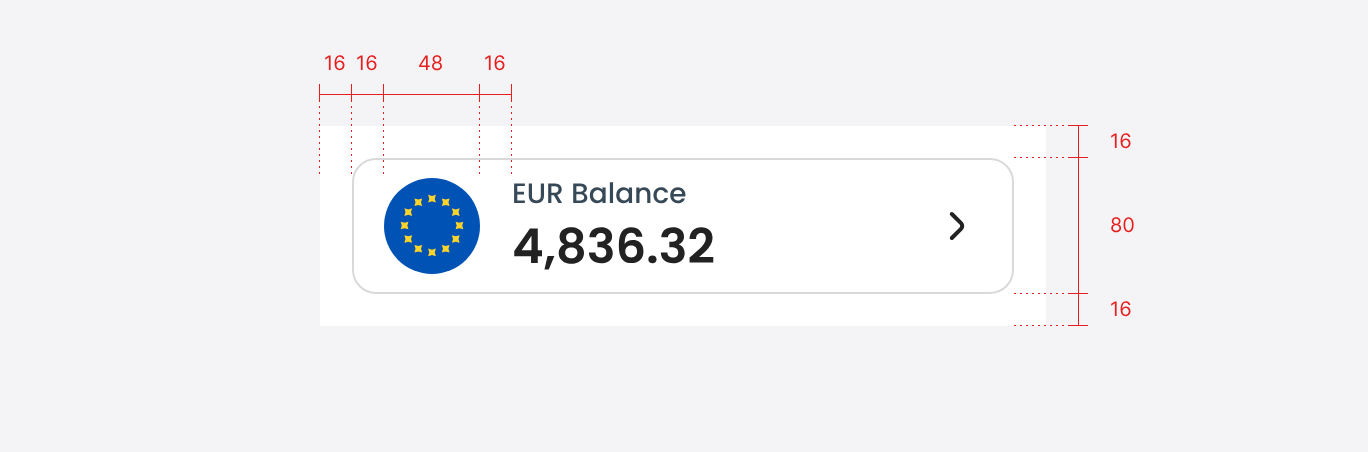
Spacing follows a 4-point scale. Screens use a 16pt margin, cards use 16pt padding, and elements inside a row are separated by 16pt. Avatars and flags sit at 40–48pt and buttons at 48pt, so every size lands on the scale.
Shape and elevation
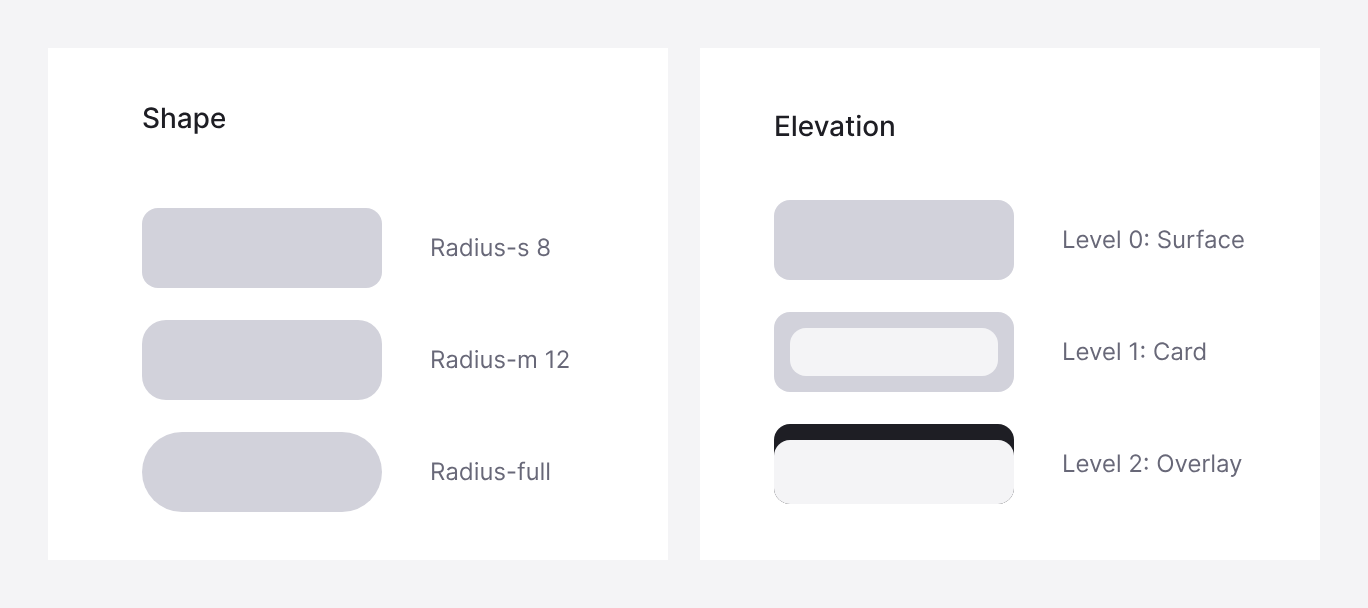
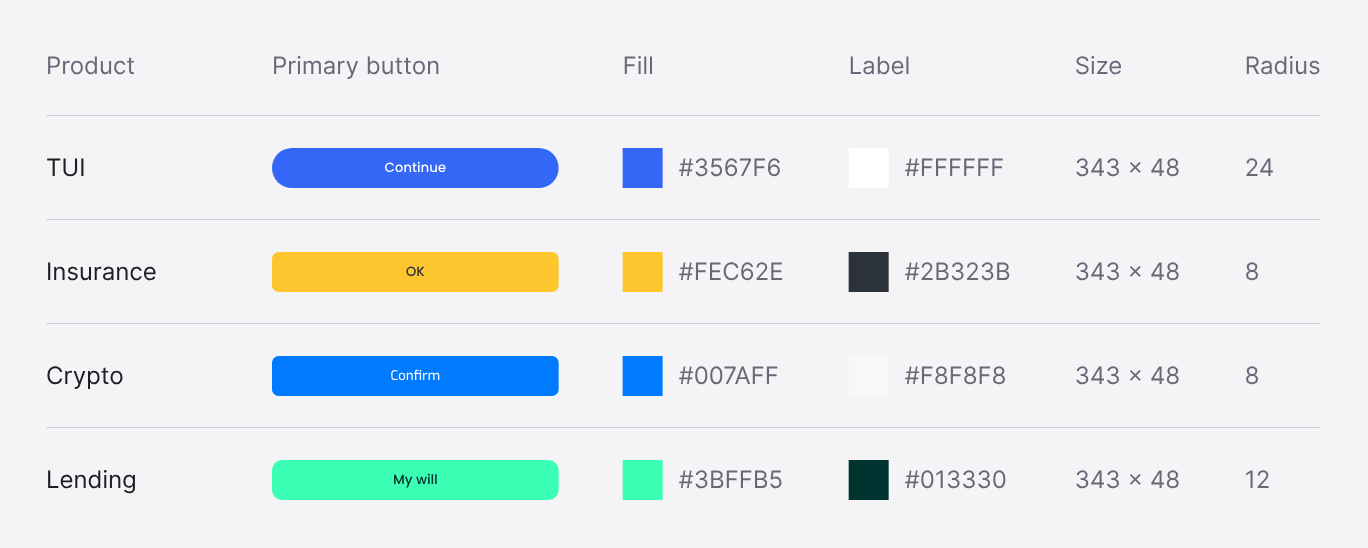
Three radius tokens cover every component; the button radius is a theme value, so TUI can use a fully rounded button while other brands use 8pt or 12pt. Depth stays flat: cards sit on borders or tinted surfaces, and only overlays such as bottom sheets rise above the screen.
Typography
I built the typography system as one scale for every client: 14 text styles in six roles, each defined by size, line height, weight and letter spacing. Every style is a named token, so design and engineering use the same names.
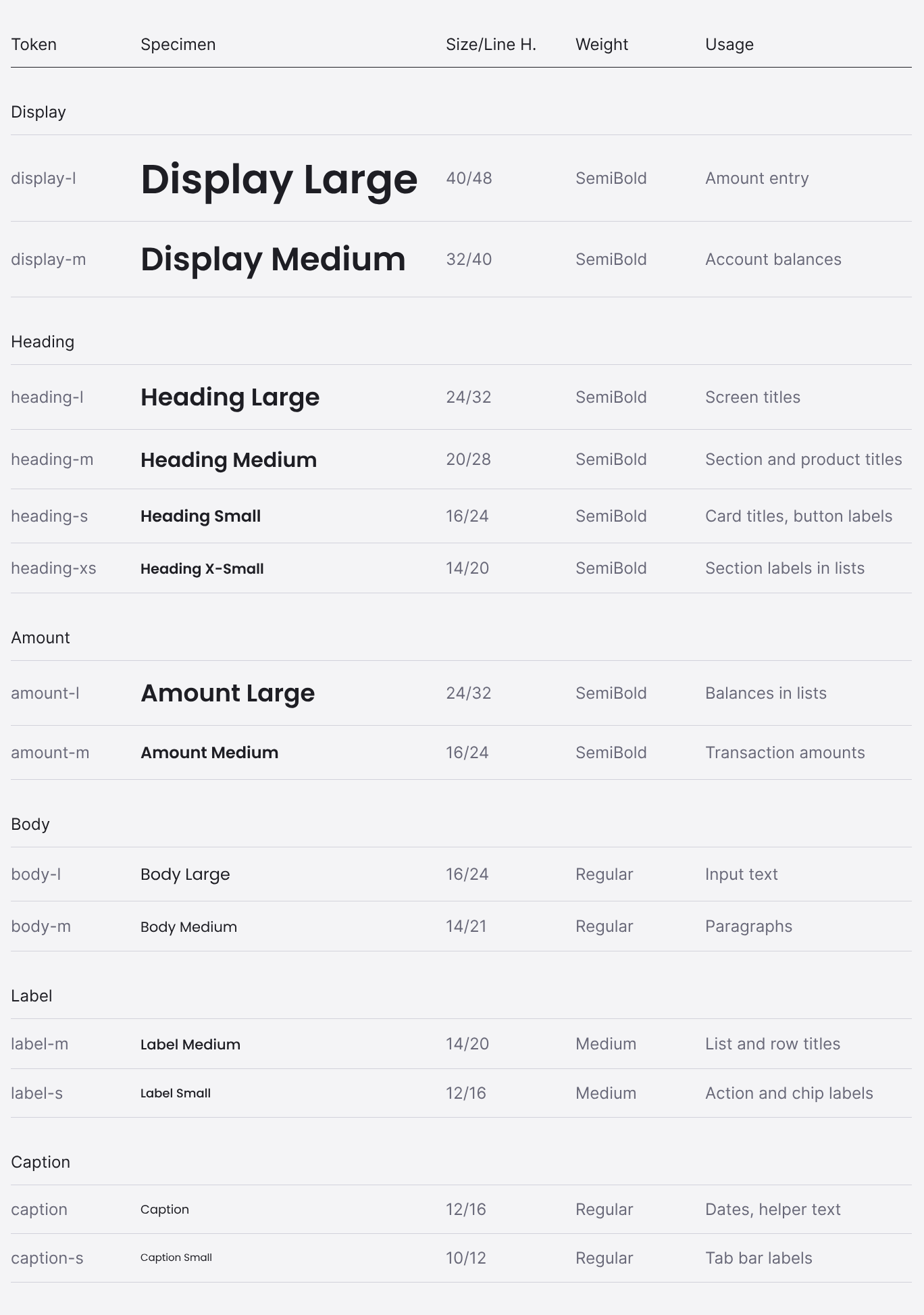
- Size first, weight second. Three weights carry the hierarchy: SemiBold for display, headings and amounts, Medium for labels, Regular for body text and captions.
- Line heights on the grid. Single-line styles use line heights on the 4-point grid. Paragraphs use 150% for readability, with one line of space between paragraphs.
- Amounts as their own role. Balances and transaction amounts have dedicated tokens, separate from headings, so money reads the same way in every product.
- Letter spacing at 0. Every style uses the typeface’s default spacing, which keeps the scale stable when the typeface changes.
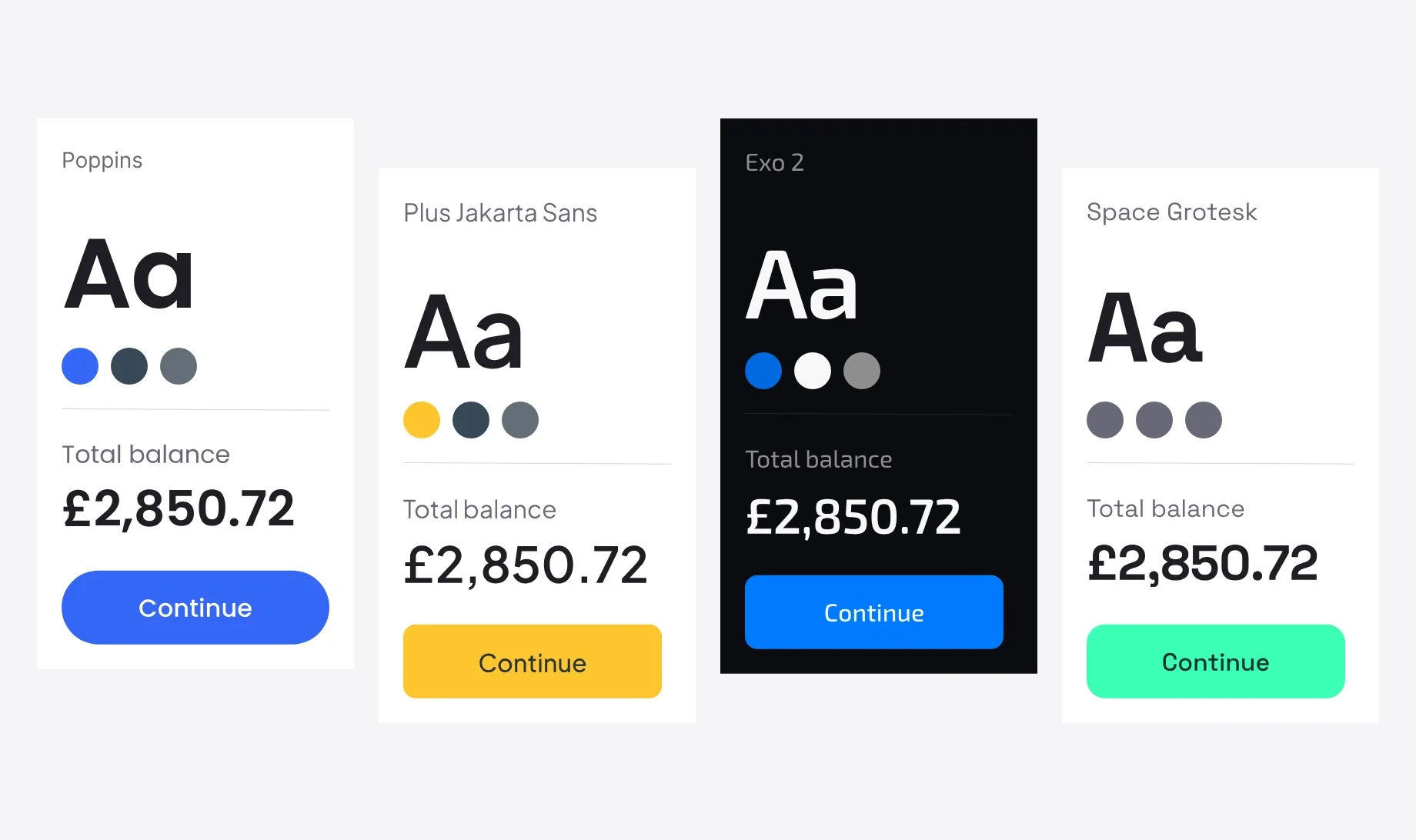
Typeface as a theme value
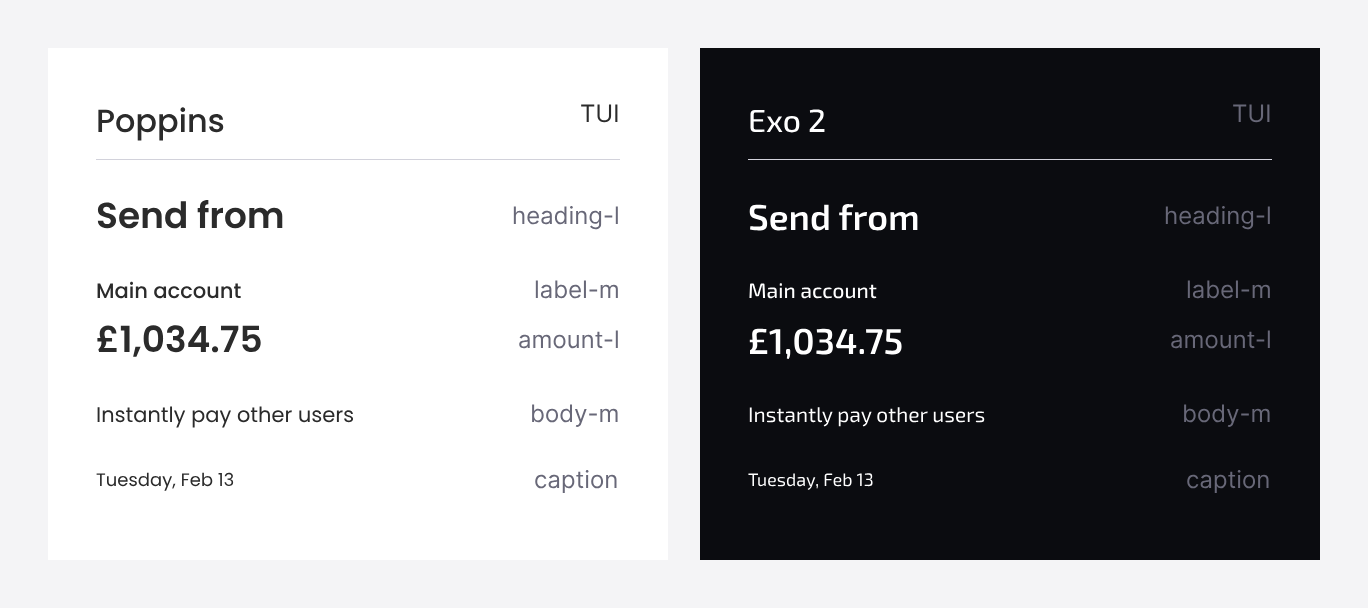
The same tokens render in Poppins for TUI, lending and Willu, and in Exo 2 for the crypto app, without changing sizes, line heights or hierarchy.
Tokens in use
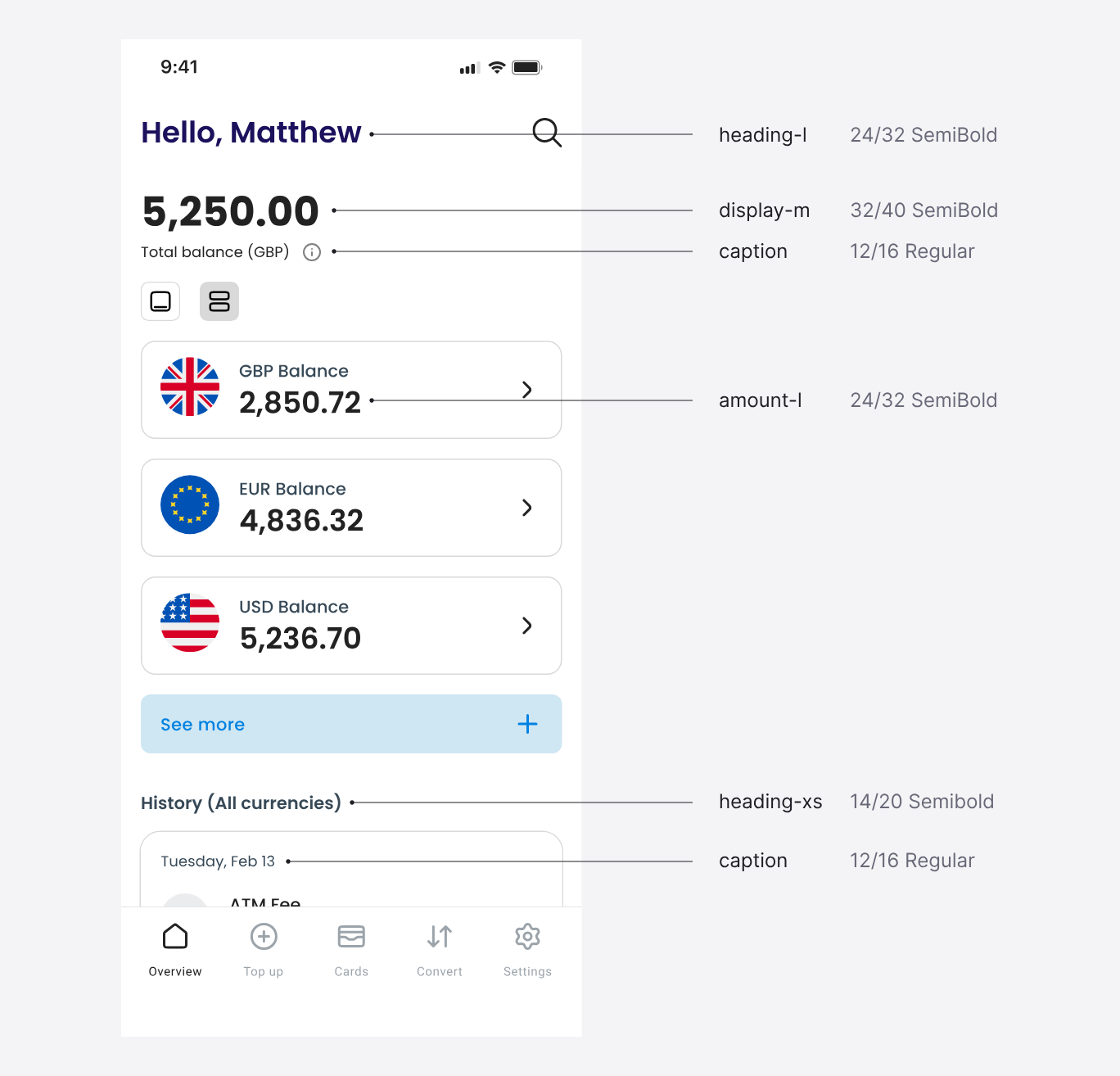
On the TUI home screen, six text elements map to five tokens.
Iconography
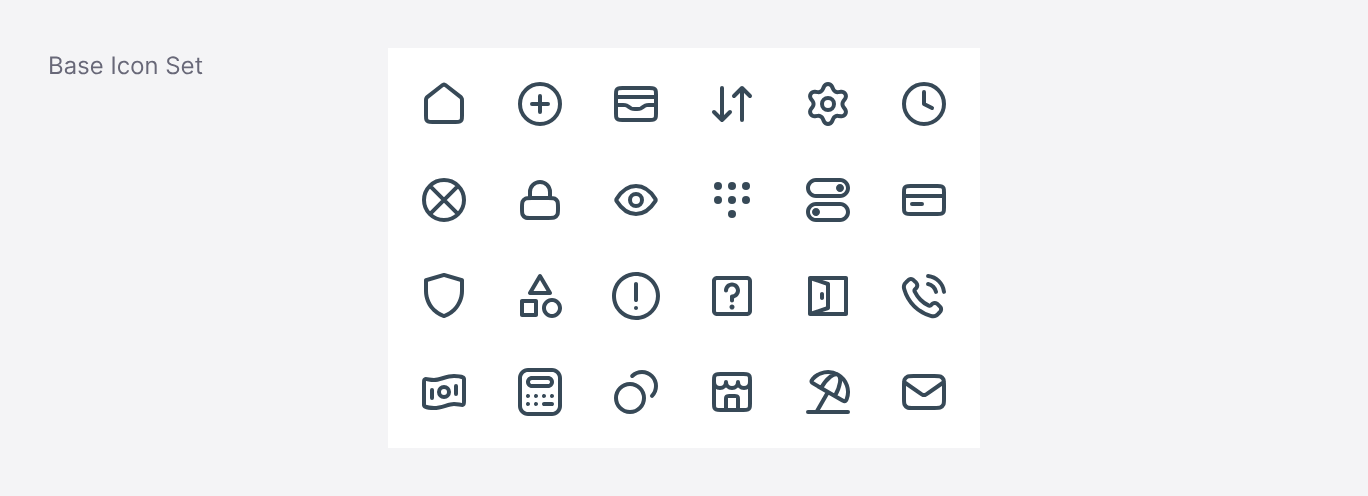
The base theme includes an outline icon set with one stroke weight and rounded caps and corners.
Components
One component, many themes
The primary button shows how the layers work together. Its size, label style and behaviour come from the foundations; its fill, label colour and corner radius come from the brand theme. A product can add a variant, like the in-card button in the automotive app.
Buttons
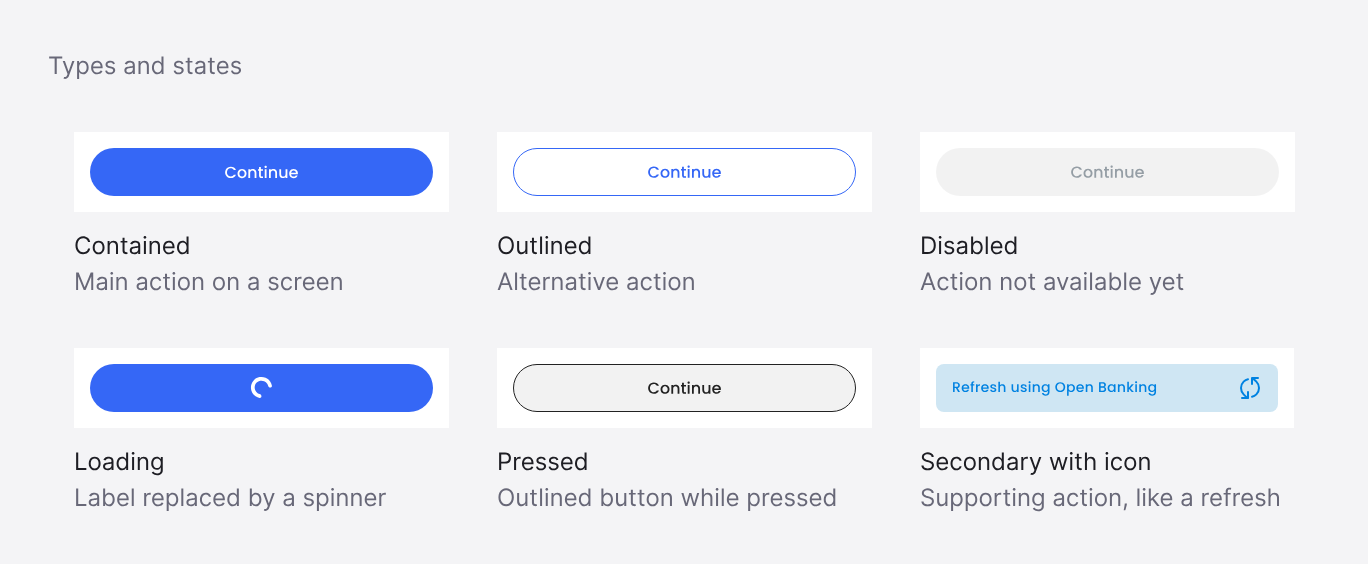
Contained and outlined buttons share the same states: default, pressed, loading and disabled. A secondary button with an icon covers supporting actions. Buttons are placed through button-group components, so the spacing between actions is fixed rather than decided screen by screen.
Input fields
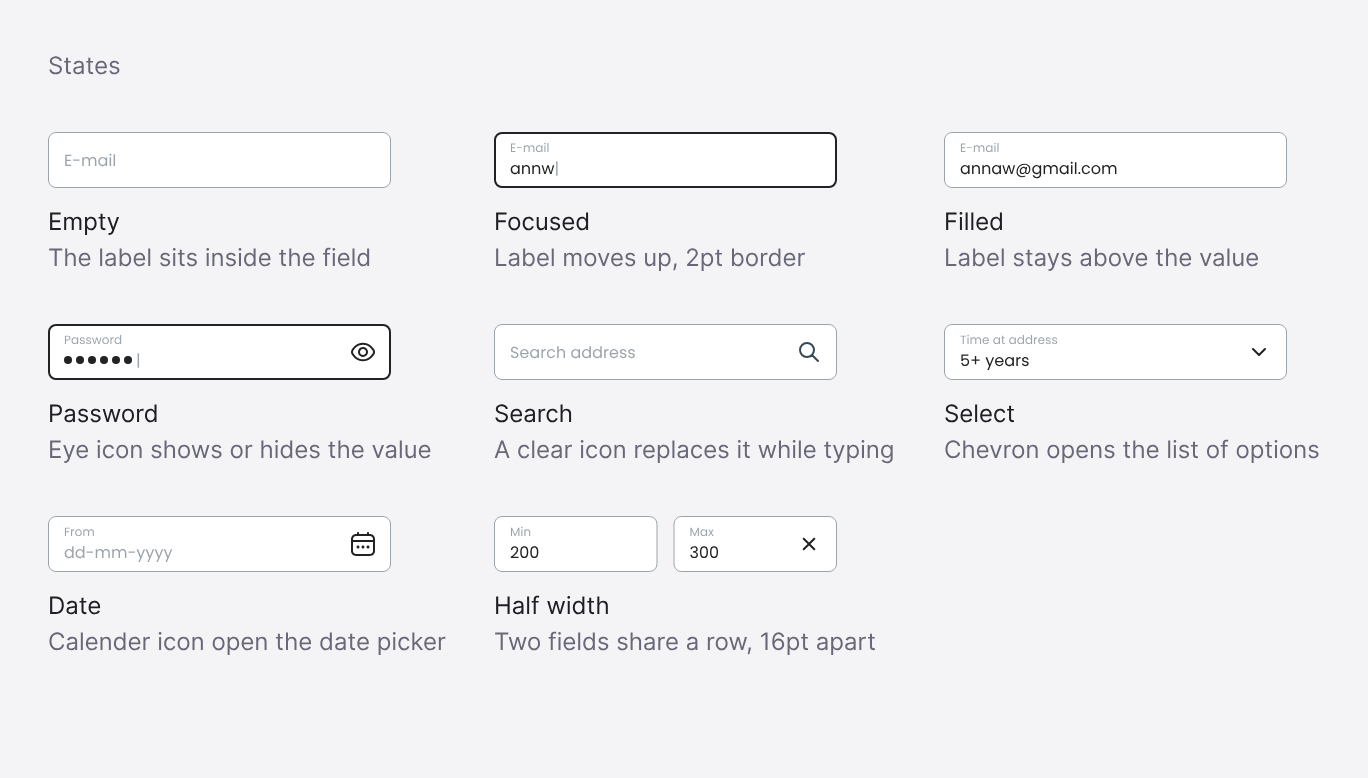
Inputs use a floating label: the label sits inside the empty field and moves above the value once the user types, so a field is never left without a label. Focus is shown with a 2pt border.
Selection controls
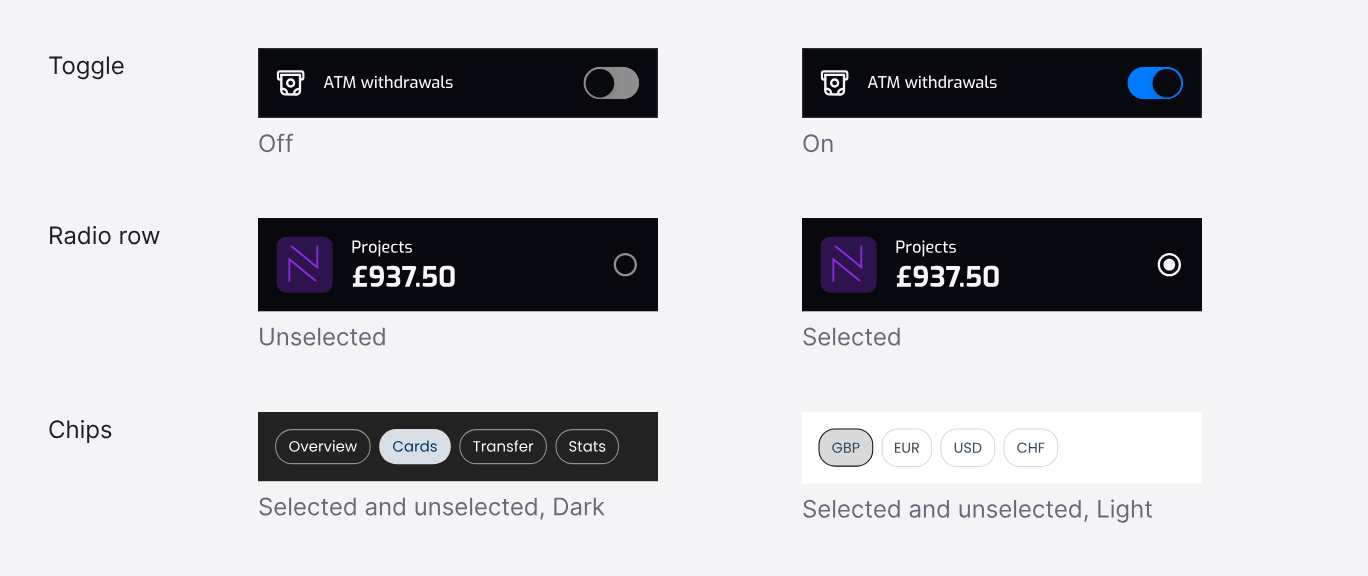
Toggles, radio rows and chips, shown in the shipped apps in dark and light themes.
Across products
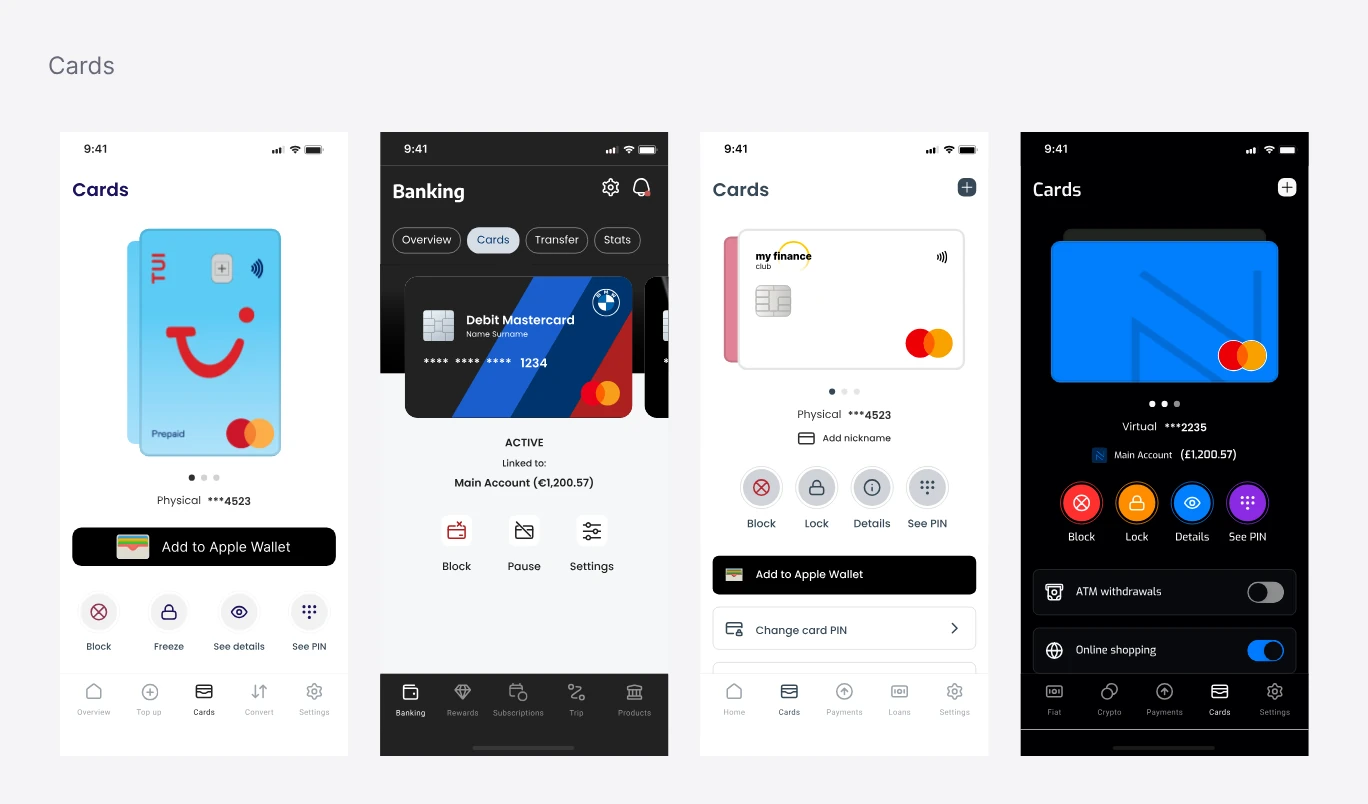
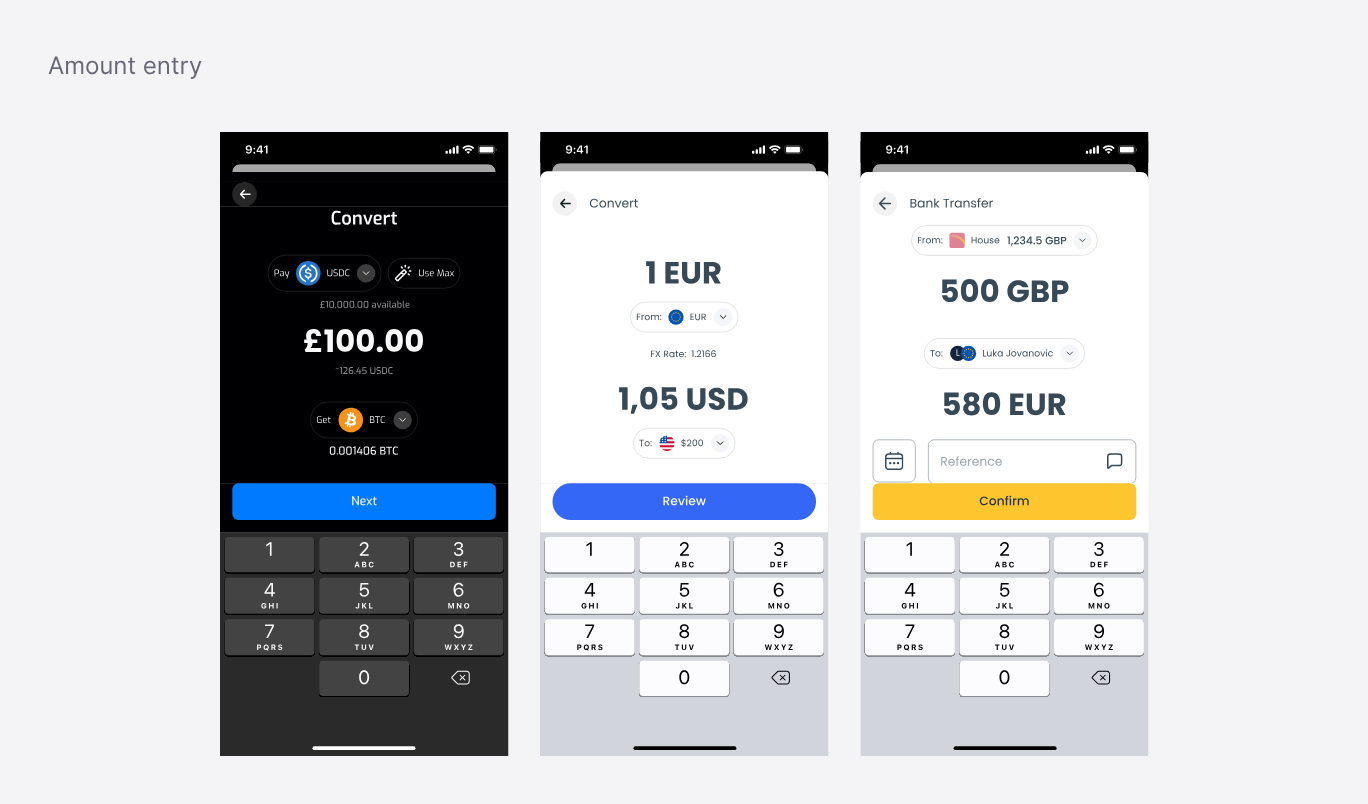
Amount entry, card controls, transfer review, account lists, filter chips and the bottom navigation appear in every product, built from the same components.
Accessibility
Accessibility as a fixed rule
Accessibility sits in the foundations, so no theme can opt out of it. Every theme had to meet the same
standards:
Colour contrast: WCAG AA for text, icons and controls
Touch targets: at least 44pt on iOS and 48dp on Android
States: clear pressed, disabled, error and selected states
Colour: information never shown by colour alone
Client setup
From brand guidelines to a themed app
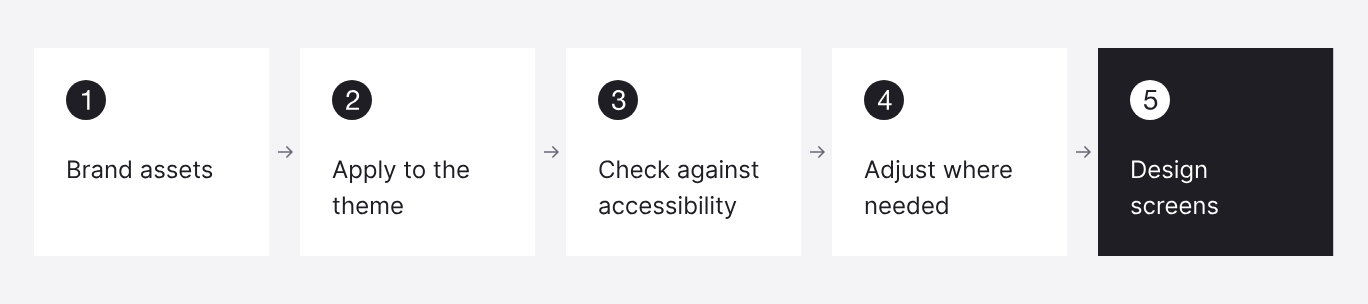
With the foundations and components already in place, setting up a new client meant configuring a brand theme, not building a new system.
Brand adaptation
When a brand doesn’t work on screen
Not every brand was designed with an app in mind. When a client’s brand didn’t work in the UI, I proposed adjustments, and for clients without a brand identity, I designed one.
Engineering
Documenting what changes for each client
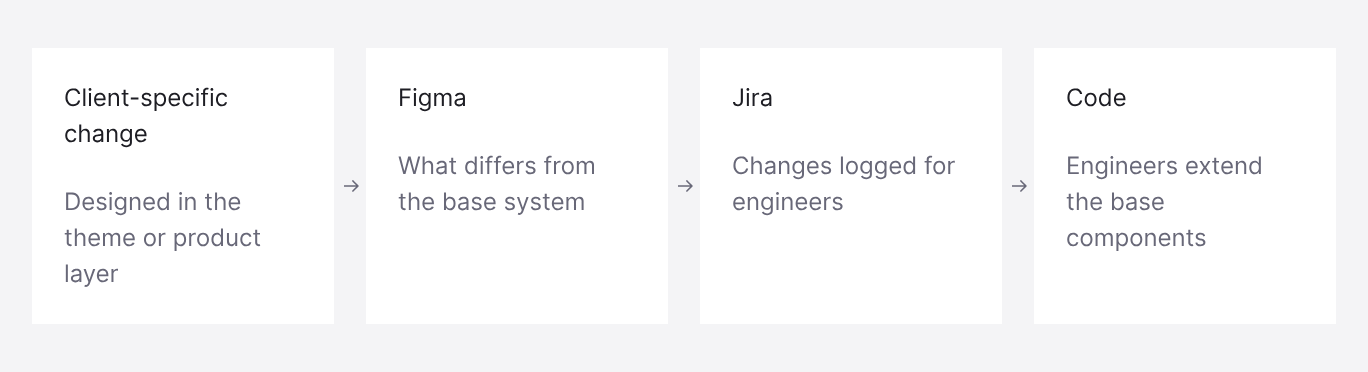
Engineers built the system in code. For each new client, I documented what differed from the base system in Figma and logged the changes in Jira, so engineers knew exactly which parts to adjust.
Reflection
What I learned, and what’s next
Keep the system open, but judge every addition.
New products kept bringing needs the system didn’t cover yet. I learned to add to it when needed, but to look at each request from several angles first. Often what seemed like a new component was really a variant or a new state of an existing one.
Be creative within a structure.
Each client still had to feel distinct. Working inside fixed foundations meant finding that difference through brand, imagery and layout, not through one-off components.
Change the system together with engineering.
Discussing changes with developers before adding them to the system mattered as much as designing them.
Next: design systems for AI.
I’m now learning how design systems work with AI: building systems with AI tools, structuring tokens, components and documentation so AI agents can read and apply them, and exploring agentic workflows between design and code. Four years of working with a white-label system showed me how much depends on clear structure, and that structure is what makes AI-assisted design reliable.