TUI Travel Money
Overview
A redesign of TUI’s travel money app
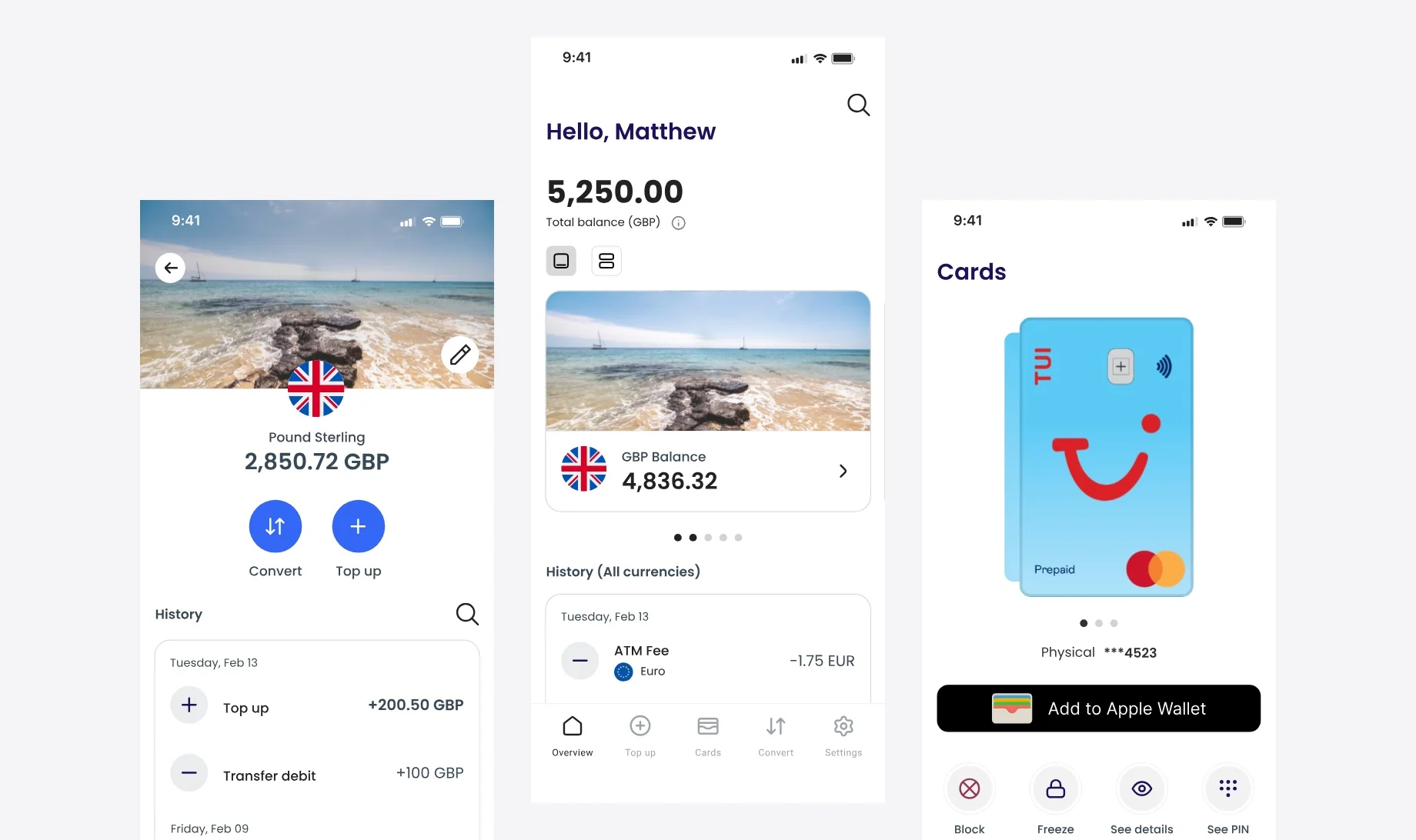
TUI offers UK travellers a prepaid multi-currency Mastercard, managed through a companion app. Customers use it to top up, convert between currencies, check balances and control their card while travelling.
The previous app had been live since 2014. Together with a lead product designer, I redesigned the core journeys end to end: onboarding, home, top-up, convert, card management and settings. I worked across research, prototyping, UI design and design QA.
Research
Competitive analysis and a user survey
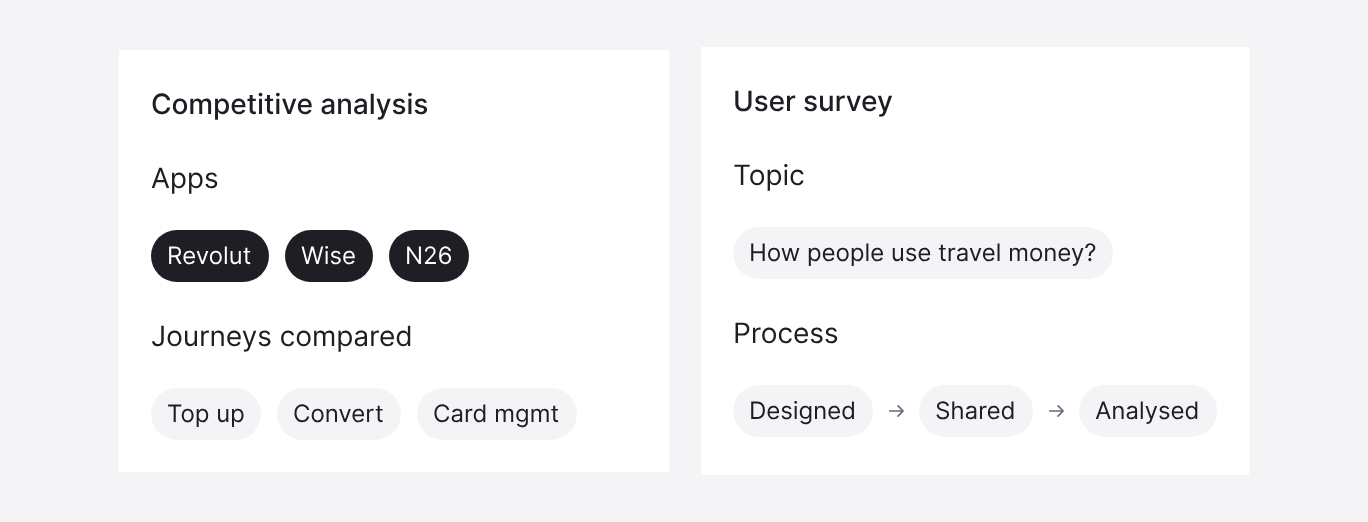
The previous app had confusing user flows and an outdated interface, and it was hard to use. Before designing, I looked at how established finance apps handle the core travel money journeys, and ran a short survey on how people use travel money.
Working with ambiguity
Parts of the product depended on compliance requirements that the PM was still clarifying. I designed while those requirements were open, and updated the flows as decisions were made.
Multi-currency Accounts
Designing one wallet for several currencies
The card can hold money in 11 currencies, so the home screen had to answer two questions at once: how much do I have in total, and how much in each currency?
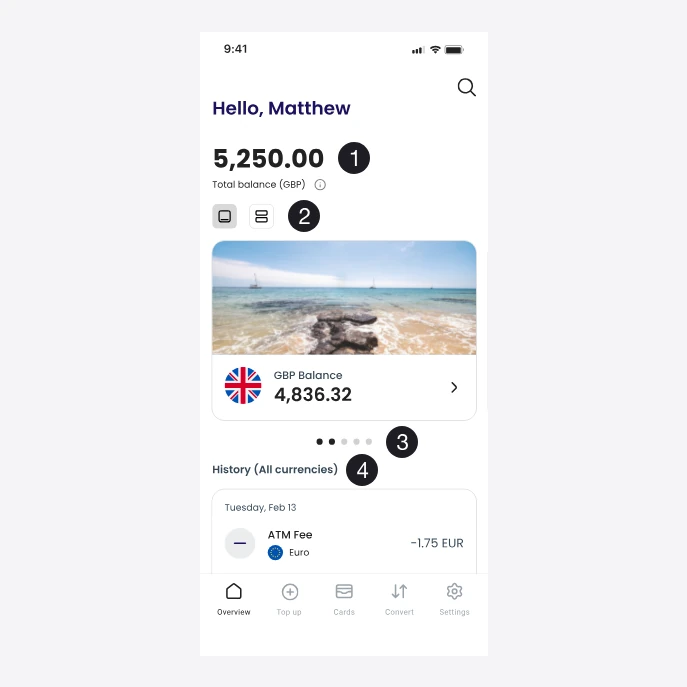
- Total balance in GBP
- Toggle between card and list view
- Swipe between currencies
- History across all currencies
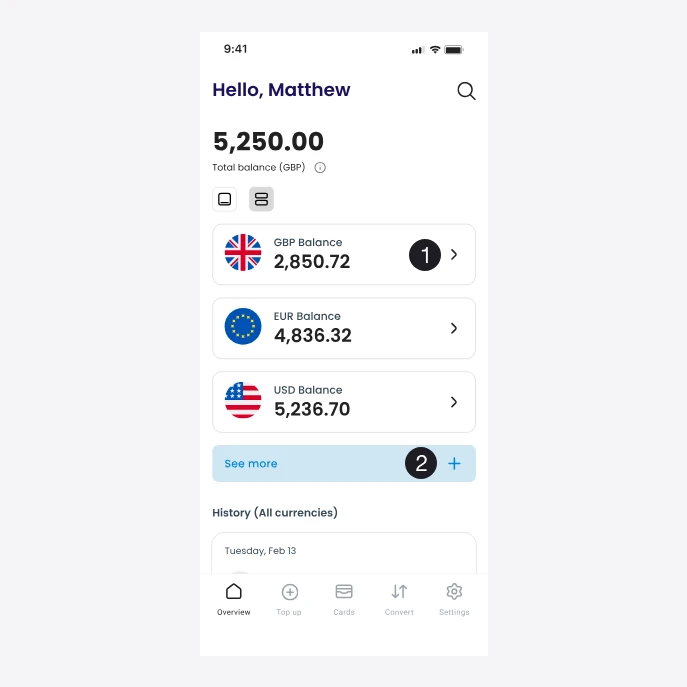
- Several balances at once
- “See more” opens the rest
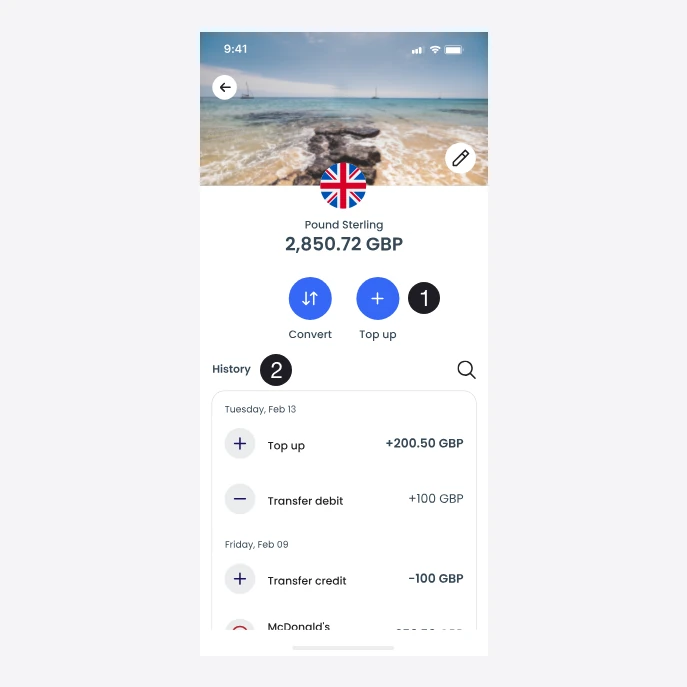
- Convert and top up in this currency
- History for this currency only
- The total first, then each currency. The home screen opens with the total balance converted to GBP, followed by the individual currency balances.
- Two ways to view balances. With my lead designer, I designed two views that users can switch between with a toggle. The card view is the default: it shows one currency at a time with a destination photo, and users swipe to move between accounts. This gives a more visual, trip-focused view. The list view shows several balances at once, with “See more” for the rest, which makes it easier to compare balances and move between accounts quickly.
- One history across currencies. Below the balances, the home screen lists transactions from every currency in one feed, each labelled with its currency, so all spending is visible in one place.
- A screen for each currency. Tapping a balance opens that currency’s account, with its own balance, quick actions to convert and top up, and a history showing only that currency.
Key flows
Onboarding, conversion and card controls
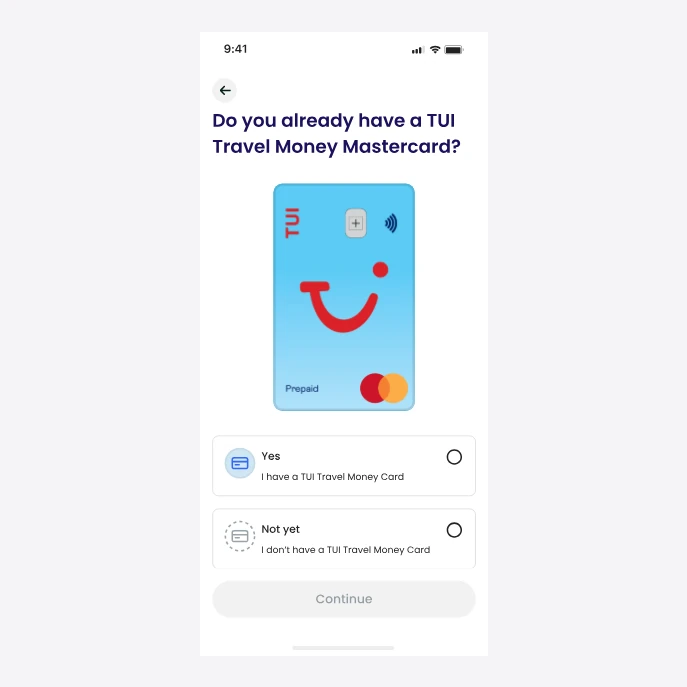
Branching onboarding
The first step asks whether the user already has a TUI card, so existing cardholders skip the steps meant for new customers.
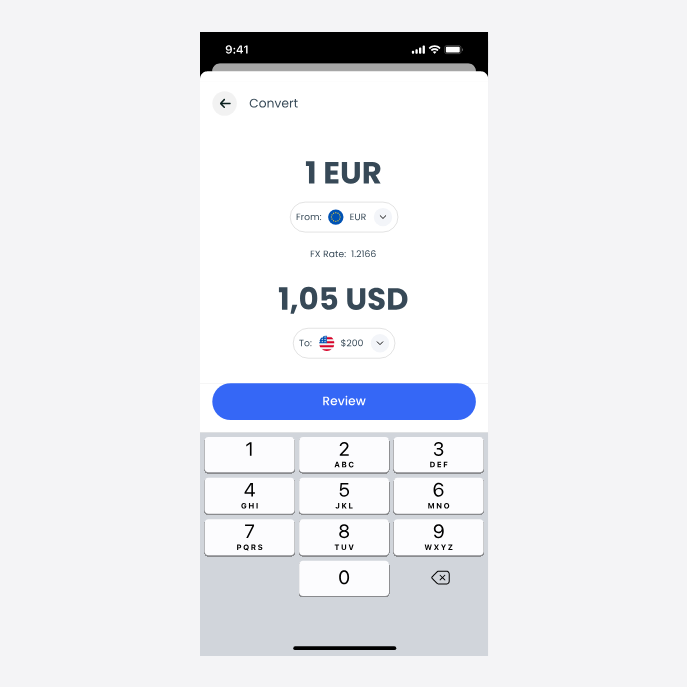
Real-time conversion feedback
In Convert, the exchange rate and the converted amount update as the user types, so the outcome is clear before they review the transaction.
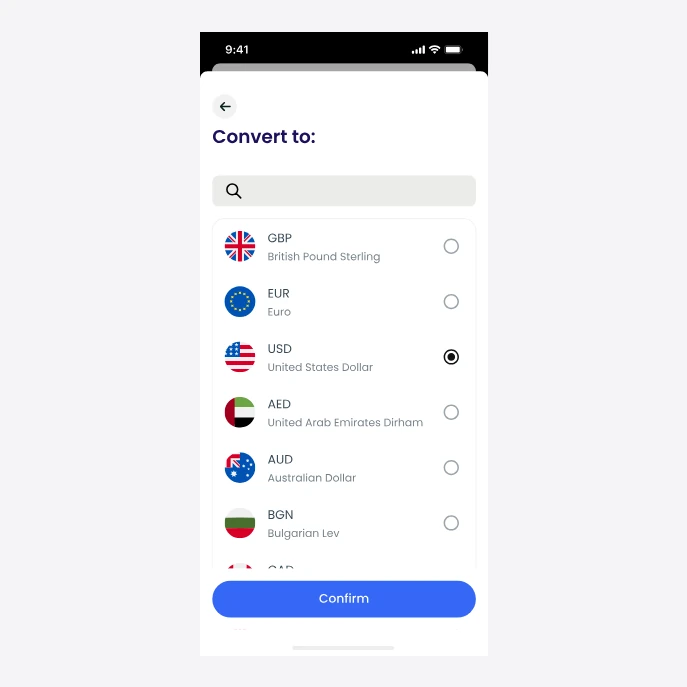
Searchable currency picker
The picker includes search, so users can find a currency without scrolling through the full list.
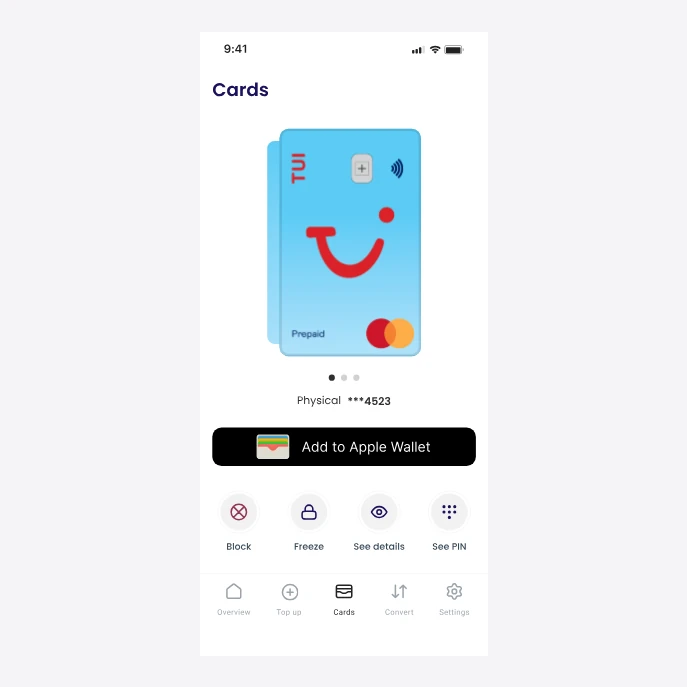
Card controls in context
Freeze, block, card details and PIN sit directly on the Cards tab, along with adding the card to Apple Wallet, so users don’t have to look for them in Settings.
Launch
Live, with Apple Pay from the first release
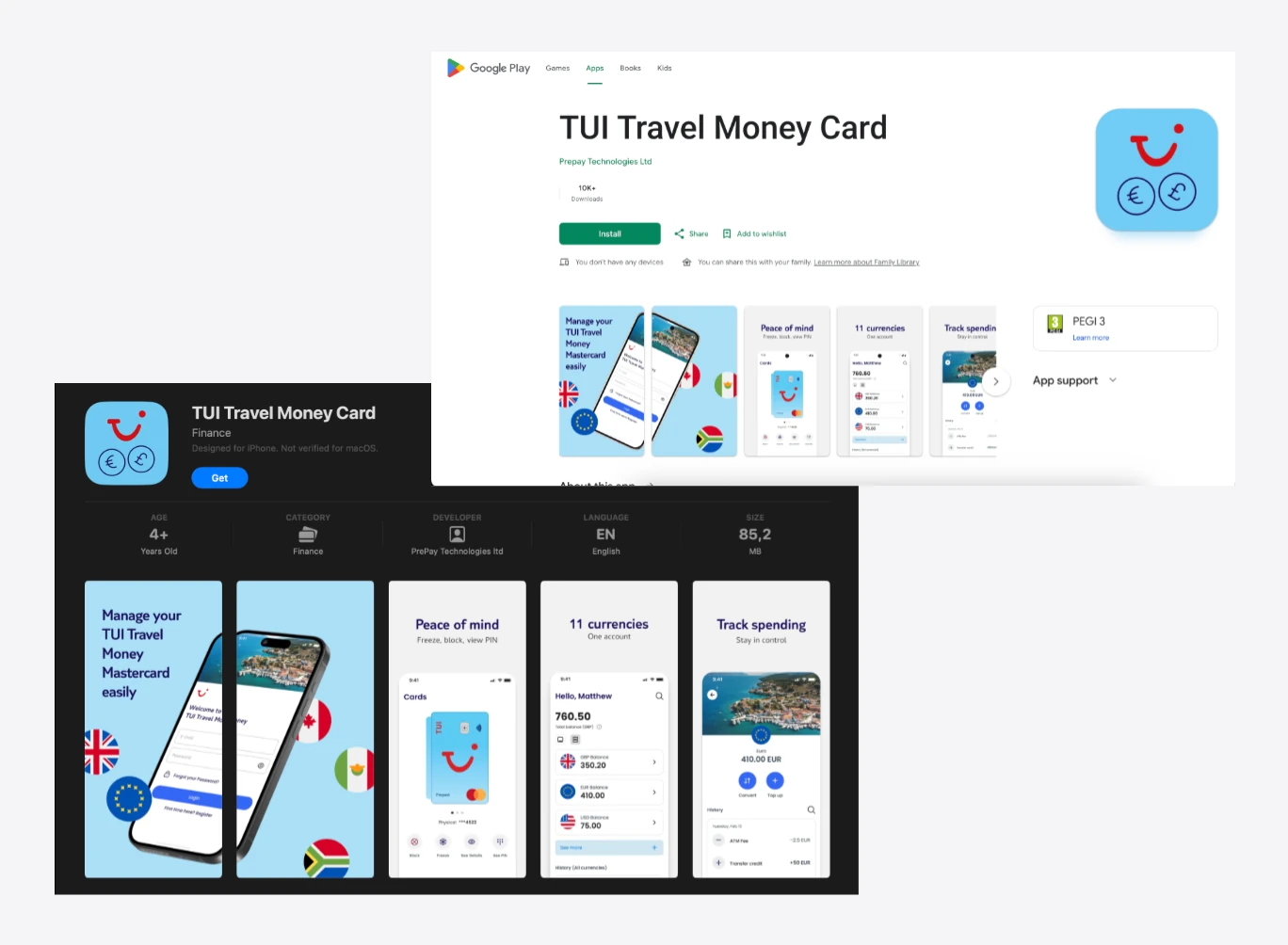
The new app replaced the previous one on iOS and Android in 2025.
Design QA before release
I ran design QA on the test build. I went through every flow on a real device and checked each screen against the final designs: layout, spacing, typography, components and their states, copy, and the transitions between steps.
For each issue, I logged a ticket with an annotated screenshot, a note on what was wrong and what was expected, and the correct component or screen attached, then assigned it to the developers. The goal was to launch without visible design issues.